
Asset Import
Import HubSpot
Import HubSpot
Assets Instantly
Centralize all your client portal assets in one place for faster, repeatable deployment.
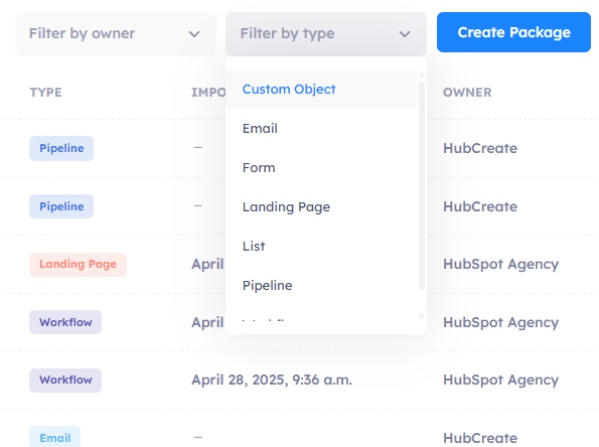
Supported Assets
Scale Faster with Asset Importing
Effortlessly bring in workflows, emails, lists, properties, and more — all in one place. Check out our currently supported assets below.
Workflows
Forms
Lists
Emails
Landing Pages
Pipelines
Properties
Custom Objects
HubDB Tables
Themes (soon)
How It Works
Connect. Import. Deploy.
Stop reinventing the wheel for every client. HubSpot partners often waste hours rebuilding the same workflows, forms, and lists from scratch — increasing costs and introducing avoidable errors. HubCreate simplifies and scales your implementation process.
Connect a HubSpot Account
Securely authenticate your client’s portal in seconds — no manual API keys or setup required.
Choose Assets to Import
Select exactly what you need — from workflows and forms to custom properties and HubDB tables. Filter by asset type, object, or metadata.
Review Dependencies
Automatically detect related assets (like lists used in workflows) and include them in a single import with one click.
Import & Organize
Assets are structured into your HubCreate workspace — organized, and ready for deployment or packaging.
Let's grow together
Ready to grow and scale your HubSpot business?
See how HubCreate can help

Deploy assets instantly, monitor account health continuously, and optimize performance proactively. All the tools you need to manage your HubSpot client portfolio in one platform.
© 2026 HubCreate.io